


Name your keys
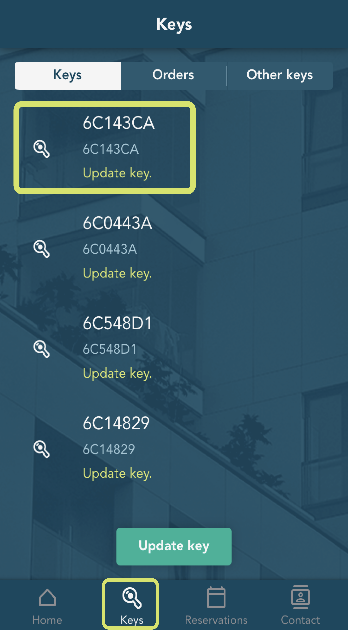
The keys that are in your possession are displayed on the Keys tab. The key information also shows which user a key belongs to when you have named the key.
To know which key belongs to whom, the main user can personalize the different keys.
- Go to the Keys tab.
- Press the key you want to name.
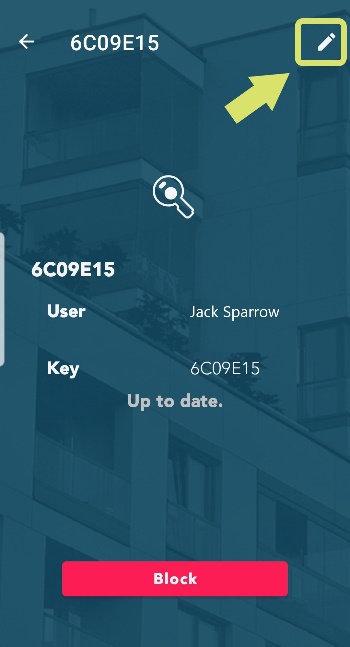
- Press the Edit key (the pen in the top right corner).
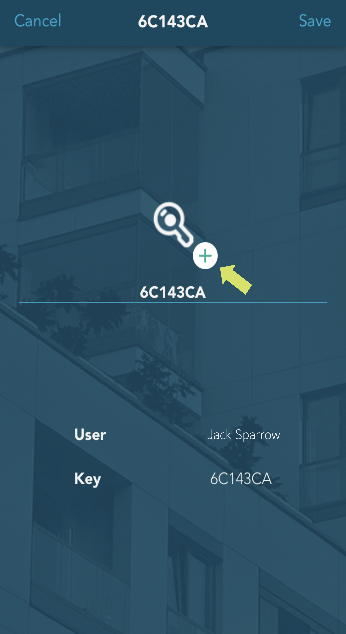
- Name the key.
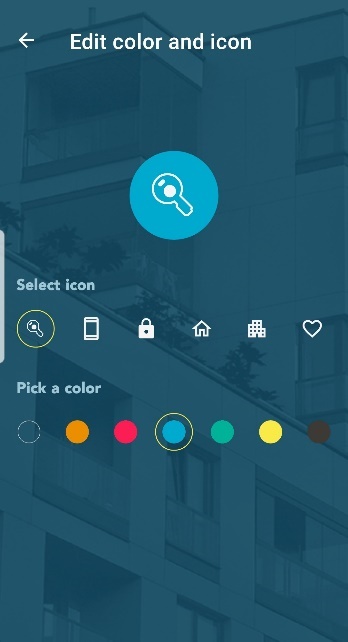
- You can also modify the avatar/icon of each key by pressing the plus-mark.
- After making the changes, go back to the Edit key view by pressing the arrow in the top left corner
- Press Save.
- PreviousMain contacts
- NextOrder extra keys
