


Yhdistä ohjelmointiavain tietokoneeseen
Tietyt tehtävät edellyttävät ohjelmointiavaimen käyttöä. Kun suoritat jotakin näistä tehtävistä, sinua pyydetään yhdistämään ohjelmointiavain tietokoneeseen.
Ohjelmointiavaimen voi yhdistää tietokoneeseen kahdella tavalla:
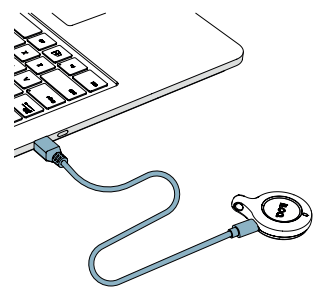
USB-kaapelilla
- Yhdistä ohjelmointiavain tietokoneen USB-porttiin USB Micro-B -kaapelilla.
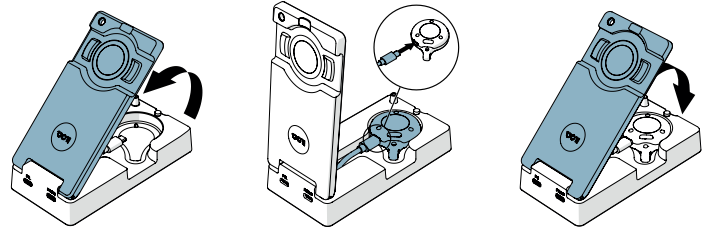
Ohjelmointiadapterin kautta
- Yhdistä ohjelmointiavain ohjelmointiadapterin sisällä olevaan erilliseen USB-kaapeliin.
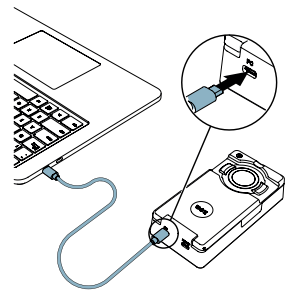
- Yhdistä ohjelmointiadapteri (PC-portin kautta) tietokoneeseen USB Micro-B -kaapelilla.
- EdellinenOhjelmointiavaimet
- SeuraavaHallinnoi ohjelmointiavaimia
