


Mass Calculation
This section describes how to, for example, calculate the number of locks required to implement the planned locking system.
Proceed as follows.
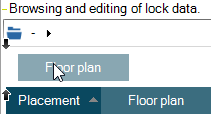
- Click a column header and drag and drop it on the empty area above the column heading row. The black arrows on the left-hand side of the area indicate that the column header is over the correct location.
- The grid view is now organised according to the column that you dropped to the empty area.
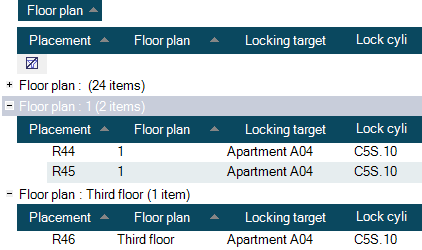
In this way, you can effectively use the columns to organize information according to your needs.
