


Switch between different customer systems
If have access to multiple customer systems, you can switch between them without logging out.
To change the active customer system:
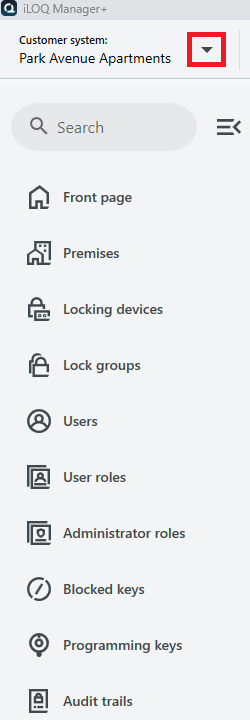
- In the top left corner, select the customer system drop down.
- Select the customer system you want to change to from the list.
You will then be taken to the front page of the selected customer system.
- PreviousSSO (Single-sign on)
- NextiLOQ ID
